

Transaction limit policy configuration
You can create, update, enable, and disable transaction limit policies via the Bastion admin dashboard, as shown in the screenshots below. You can view transaction limit policies either via the Bastion admin dashboard, or via API through the Get Transaction Limit Policy or List Transaction Limit Policies endpoints.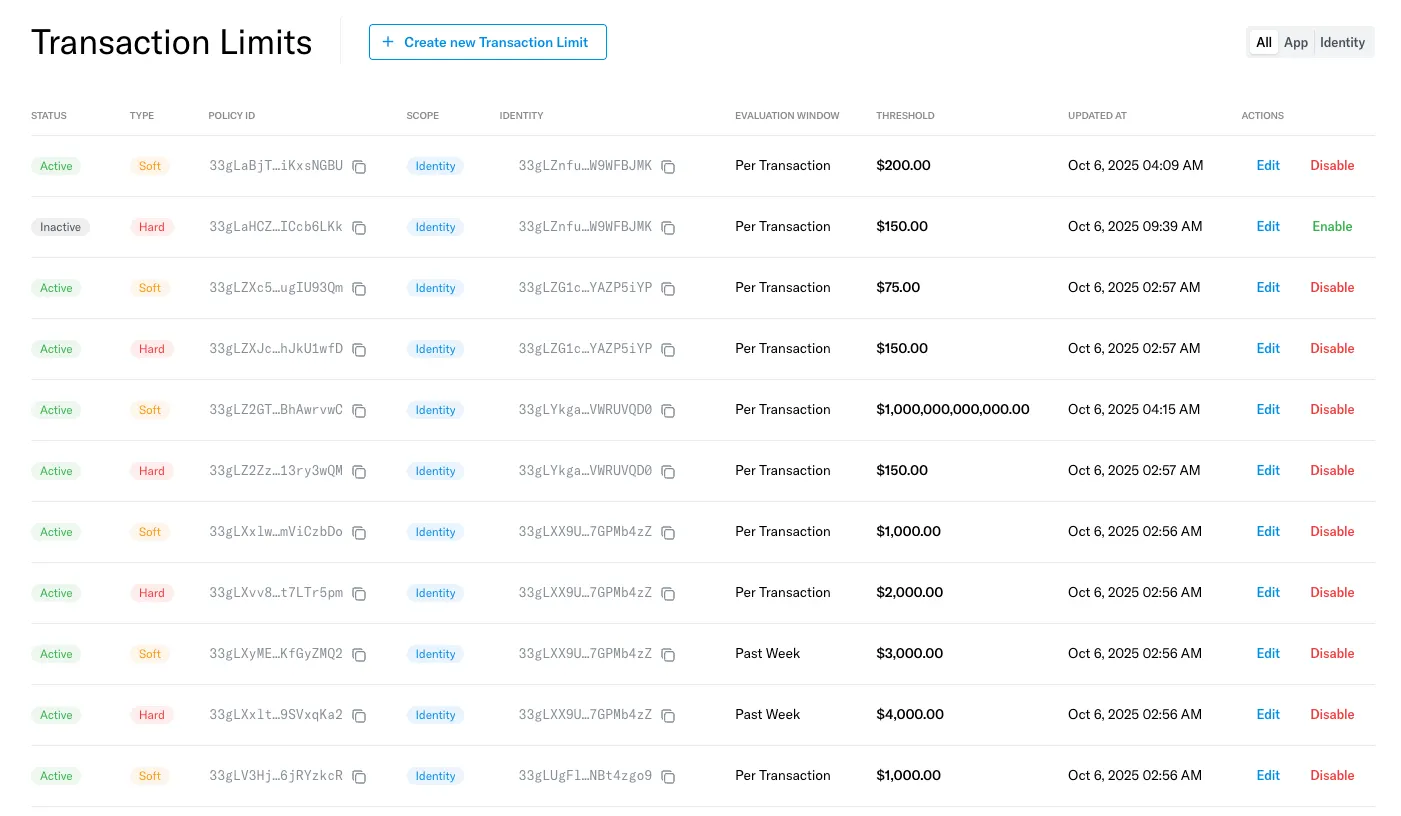
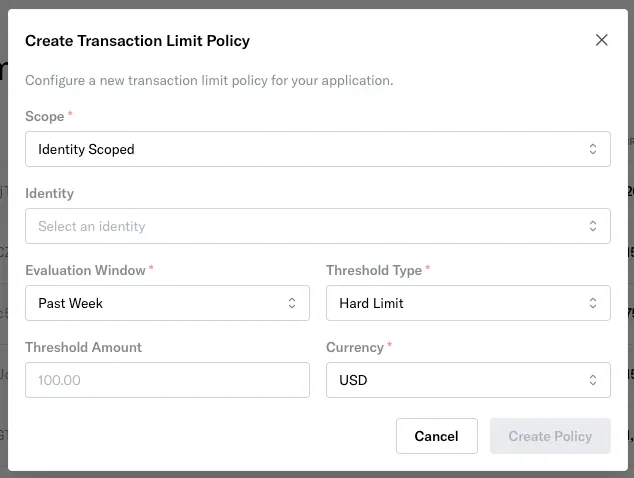
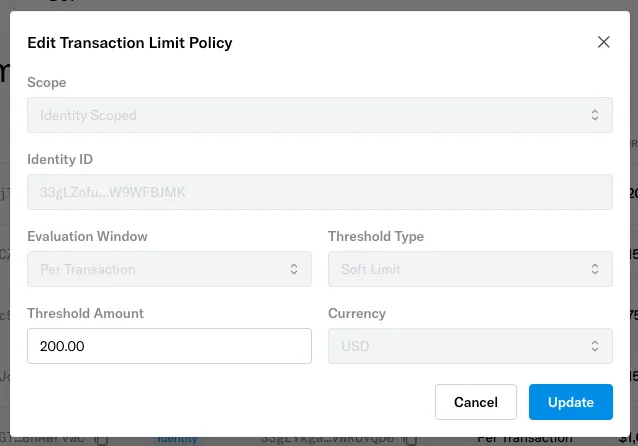
Note that there can only be one transaction limit policy per unique combination of the following fields:
Scope, Evaluation Window, Threshold Type, and Identity ID. Creating a policy that duplicates an existing combination fails with a 409 Conflict. These four fields are also immutable once a policy is created. You can update a policy’s Threshold Amount after creation, and enable or disable the policy separately.
Transaction limit policy evaluation
Up to six transaction limit policies may apply to a given identity, one per unique combination ofEvaluation Window and Threshold Type. In other words, an identity will be subject to at most:
- One policy with
Evaluation Window = Past Week, andThreshold Type = Hard - One policy with
Evaluation Window = Past Week, andThreshold Type = Soft - One policy with
Evaluation Window = Past Day, andThreshold Type = Hard - One policy with
Evaluation Window = Past Day, andThreshold Type = Soft - One policy with
Evaluation Window = Per Transaction, andThreshold Type = Hard - One policy with
Evaluation Window = Per Transaction, andThreshold Type = Soft
App Scoped and relevant Identity Scoped policy with the same values for Evaluation Window and Threshold Type, then the Identity Scoped policy will take precedence over the App Scoped policy.
As an example, consider a scenario where the following policies are set:
- A policy with
Scope = App Scoped,Evaluation Window = Past Week, andThreshold Type = Hard - A policy with
Scope = Identity Scoped,Identity Id = Identity123,Evaluation Window = Past Week, andThreshold Type = Hard
Identity123 submits a cryptocurrency transfer, it would be subject to the second policy rather than the first policy.