

Overview
An identity is the foundational record in Bastion representing an end user (individual person or business entity). Every account, transaction, and stablecoin operation is linked to an identity. You must create an identity before you can create accounts or perform any transactions.Steps
1. Navigate to identities
From the Bastion Dashboard sidebar, select Identities. This opens the identities list view showing all existing identities in your organization.
2. Select “Create new Identity”
Select the Create new Identity button at the top of the page.3. Complete identity creation
Provide the requested information and select Create Identity.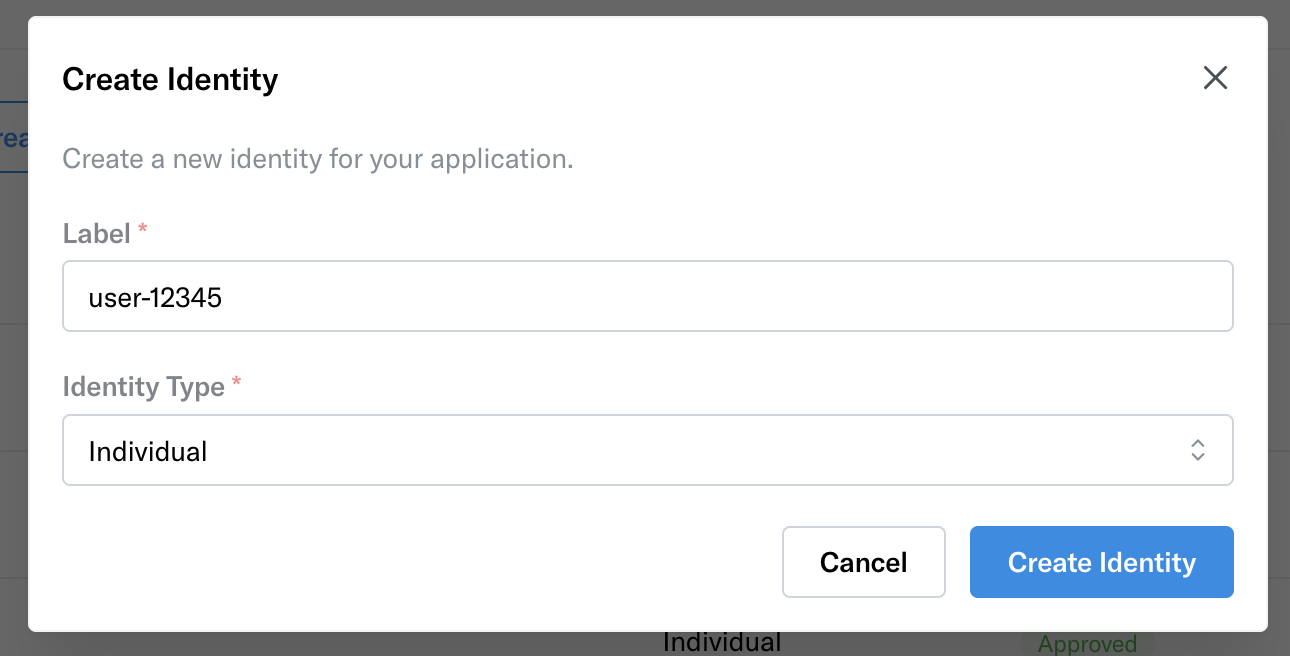
-
Select the type of identity you are creating:
- Individual — Represents a single person (supported globally)
- Business — Represents a company or organization (currently supported in the US only)
-
Add a label (optional)
- You can assign a label to help identify this record internally. Labels are alphanumeric and may include hyphens (e.g.,
user-12345oracme-corp).
- You can assign a label to help identify this record internally. Labels are alphanumeric and may include hyphens (e.g.,
4. Submit KYC / KYB
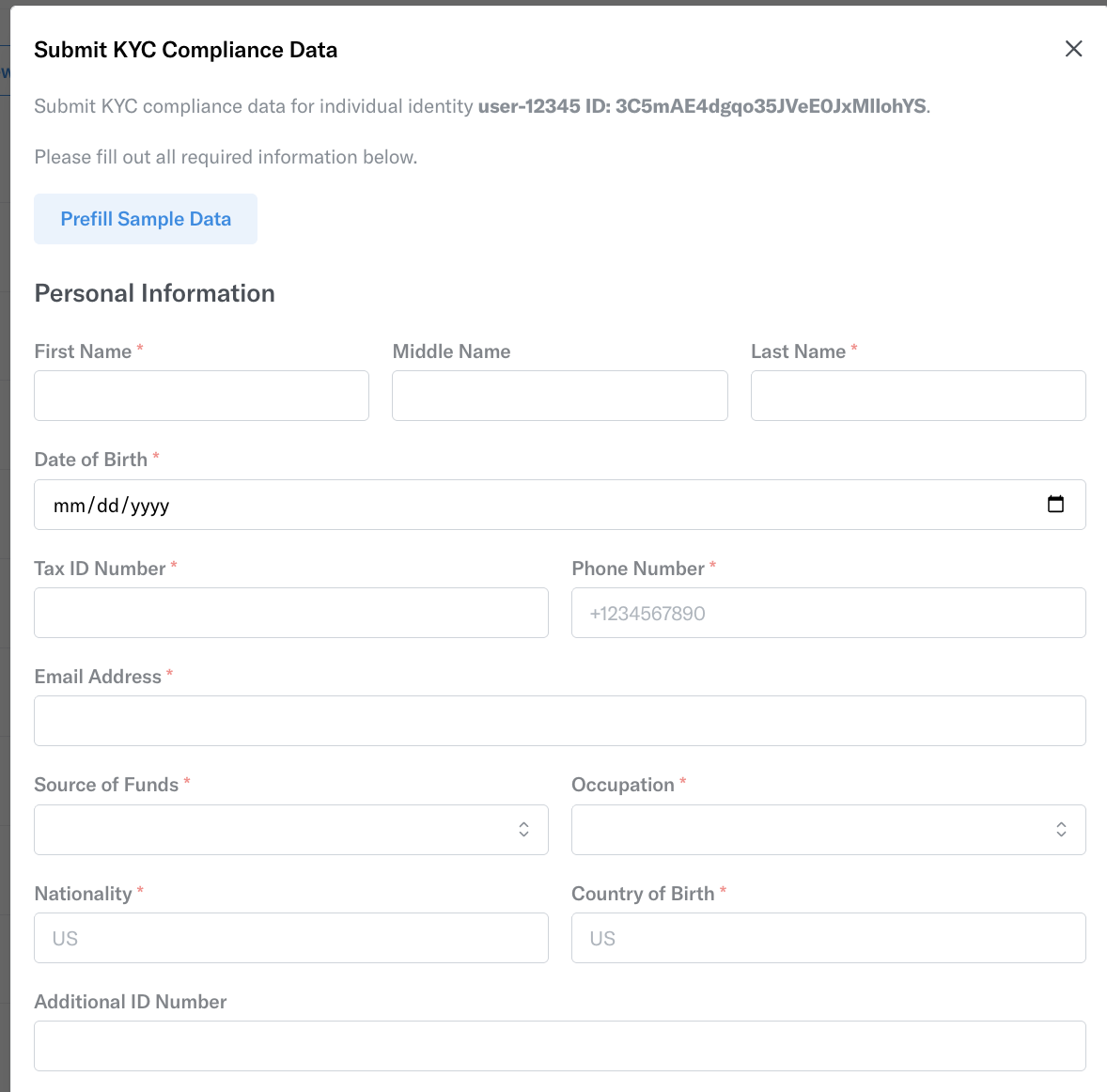
Select the Submit KYC button on the right-most corner of the created identity. A popup modal opens. Provide all requested fields and select Submit KYC / KYB.
- Sandbox only: A Prefill Sample Data button is available to prefill dummy identity details
5. Identity approved
Once the identity is approved, select the identity row to navigate into the identity page.