

Overview
This guide walks you through the process of minting stablecoins using Bastion’s Dashboard. Minting converts fiat currency (USD) into stablecoins that are delivered to a specified blockchain address.How minting works
The minting process involves several steps:- Create a mint destination address - Register the blockchain address where minted stablecoins will be sent
- Create mint instructions - Set up the minting configuration linking the identity, destination address, and payment details
- Send a wire transfer - Initiate the mint by sending USD to the provided bank account with the memo ID
- Sandbox only: You can simulate a wire transfer fiat deposit for testing purposes
- Monitor the mint - Track the status of your mint request
Prerequisites
- A Bastion Business identity that has completed KYB
- Note that Issuance is not supported for Individual identities at this moment
- Reach out to your Bastion representative to gain access to Issuance flows
Steps
1. Register a mint destination address
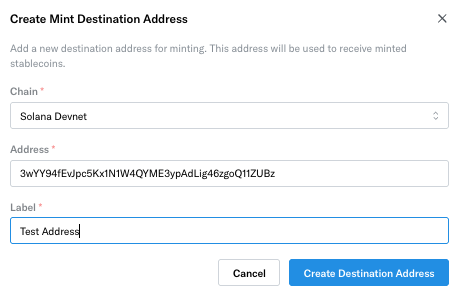
First, register the blockchain address where minted stablecoins will be delivered. From the dashboard, navigate to an approved identity → Mint tab and select Create Mint Instructions. A popup modal opens.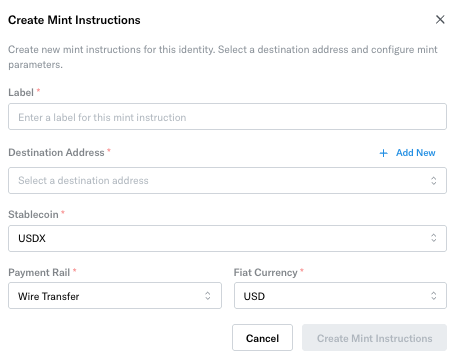 Select Add New and provide the following information before selecting Create Destination Address:
- The chain of the destination address
- The destination address to receive minted stablecoins
- A label for the address
2. Create mint instructions
From the Bastion Dashboard sidebar, select Issuance → Mint Instructions. Once the destination address has been created, you return to the Create Mint Instruction modal. Complete the form and select Create Mint Instructions.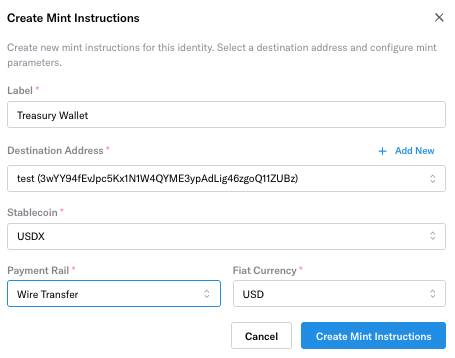
3. Submit wire transfer to the mint instruction
Select the created mint instruction to view the details.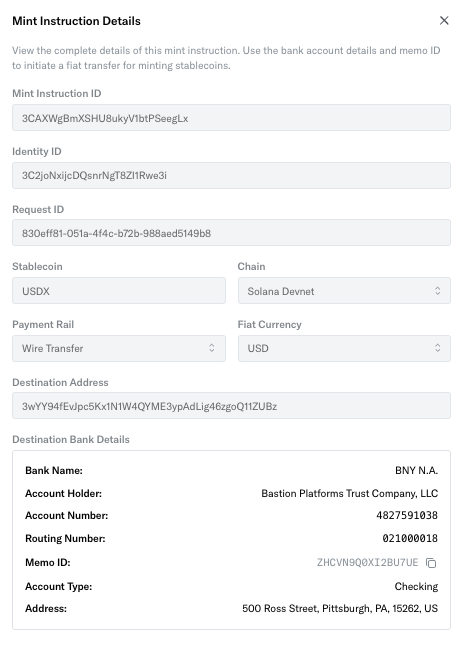 To mint stablecoins, send a wire transfer to the bank account provided in the mint instructions response.
Critical requirements:
To mint stablecoins, send a wire transfer to the bank account provided in the mint instructions response.
Critical requirements:
- Include the memo ID: The wire transfer must include the
memo_idin the memo/reference field. Without this, Bastion cannot process the mint. - Use the correct bank details: Send funds to the exact bank account details provided in
bank_account_details. - Supported currency: Only USD wire transfers are currently supported.
Initiate test mints in sandbox
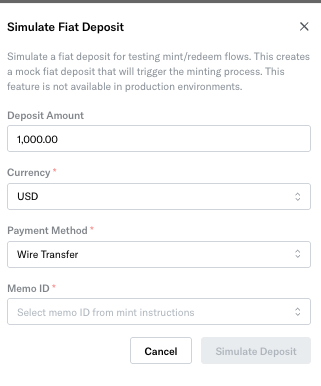
In sandbox, you can simulate a wire transfer by selecting the Simulate Fiat Deposit button.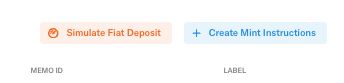
4. Monitor mint status
Navigate to History -> Mints to view the history and status of all mint requests. Once a mint is in completed status, Bastion also delivers the minted stablecoin to the specified destination wallet.